How I Parsed your JSON
Points N/A
Solves N/A
“This is the story of how I defined your schema.”
The flag is in secrets.txt
Note: this web challenge instance will reset every 30 minutes. If a challenge is not responsive, you might need to wait until the next half hour.
Just a simple web challenge where we can see a JSON file with some data with SQL like queries (SELECT only). When we try to run the query, we can see
http://23.179.17.40:58004/select?record=*&container=employeesWe see this project is called FlaskMyAdmin, which stores all data in JSON files inside a containers/ directory.

There is a Local File Inclusion (LFI) vulnerability in the container parameter:
- The server reads files based on the name given in
container. - It automatically removes the
.jsonextension. - However, if we try to read something like
secrets.txt, it strips.txtand the request fails.
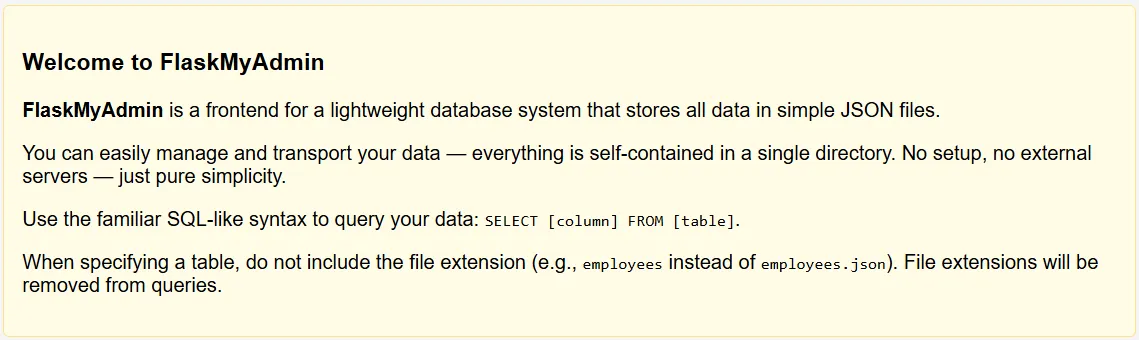
Since secrets.txt is not inside the containers/ directory, we must move up one directory.
However, traditional ../ is blocked.
Bypass for ../ filter:
- Use
....//instead of../ - Double dots
..then two slashes//confuse simple path filters but still work for directory traversal.
Also, because of the extension stripping, we must still use `.txt.txt at the end.
Putting everything together:
http://23.179.17.40:58004/select?record=*&container=....//secrets.txt.txt....//moves up to the parent directory.secrets.txt.txtbypasses the file extension check.
This successfully retrieves the secrets.txt file and reveals the flag.
CIT{235da65aa6444e27}